
- Reviews
- No Comment
Monica AI Review – A Complete Look at the All-in-One AI Assistant

Need Our Quick Verdict — Read This!
Monica is an AI-powered assistant that offers a variety of services under one hood, including chatting, research, summary, translation, and writing. It is lightweight and always accessible. So, you can use it on your smartphones, laptops, or desktops to optimize basic tasks. However, if you want to perform complex activities, you should use high-end AI systems that allow deep reasoning, coding, or enterprise-level integration.
These days, the assistance of artificial intelligence is everywhere. So, people use different AI tools to chat and optimize various tasks, such as copywriting, research, and summarization.
However, doing so usually requires navigating between multiple windows, which can complicate the entire workflow. To solve this problem, an entrepreneur named Henry York introduced an AI assistant called Monica. So, in this blog post, we will thoroughly review it.
We’ll go over everything essential here to help you decide whether Monica AI assistant is a good fit for you or not. So, let’s get started without any further delays!
What Is Monica AI? — A Complete Overview
Monica is an all-in-one artificial intelligence assistant that combines the power of multiple top-tier AI models into a single easy-to-use platform. This way, you can chat, search, write, code, summarize, translate, and generate images or videos from a single source instead of juggling between multiple windows.
To be more precise, the backend of Monica AI has been trained to use the support of the following LLM models:
- Claude 4.5 Sonnet.
- DeepSeek V3.1.
- Gemini 3 Pro.
- Google Nano-Banana.
- GPT-5.
- OpenAI o4-mini.
- Sora 2.
That’s how it helps people do a lot of things without leaving the platform, which is the main reason for its popularity.
How to Get Started With This All-in-One AI Assistant?
Monica AI is a cross-platform tool. Therefore, it works perfectly on any device, be it an Android, iOS, macOS, or Windows system.
Even if you use Linux, you can still take advantage of this tool by downloading and installing its web browser extension. But make sure that your browser is Chromium-based.
Anyway, once you’ve installed this program onto your system, you’ll see the following window upon opening it:
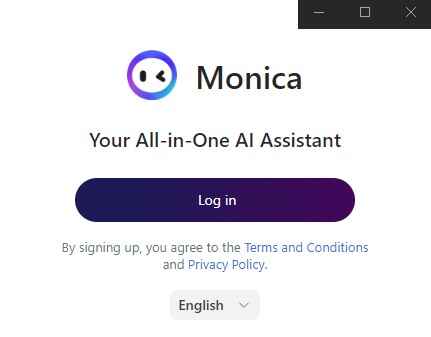
So, tap the ‘Log in’ button, which will open the following screen in your browser:
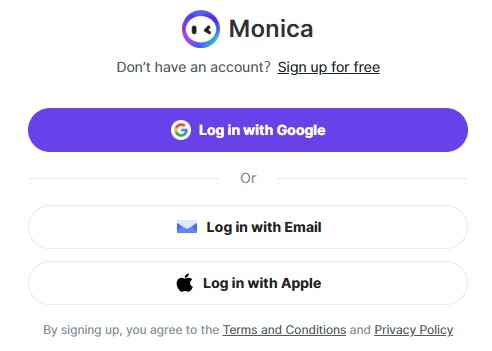
From here, you can log in with your existing Google, Monica.im, or Apple accounts. However, if you don’t have any of these, click on the ‘Sign up for free’ option to register as a totally new user.
Anyway, once you’ve successfully signed in, the Monica AI assistant will begin the setup. So, follow the on-screen instructions until you reach the following screen:
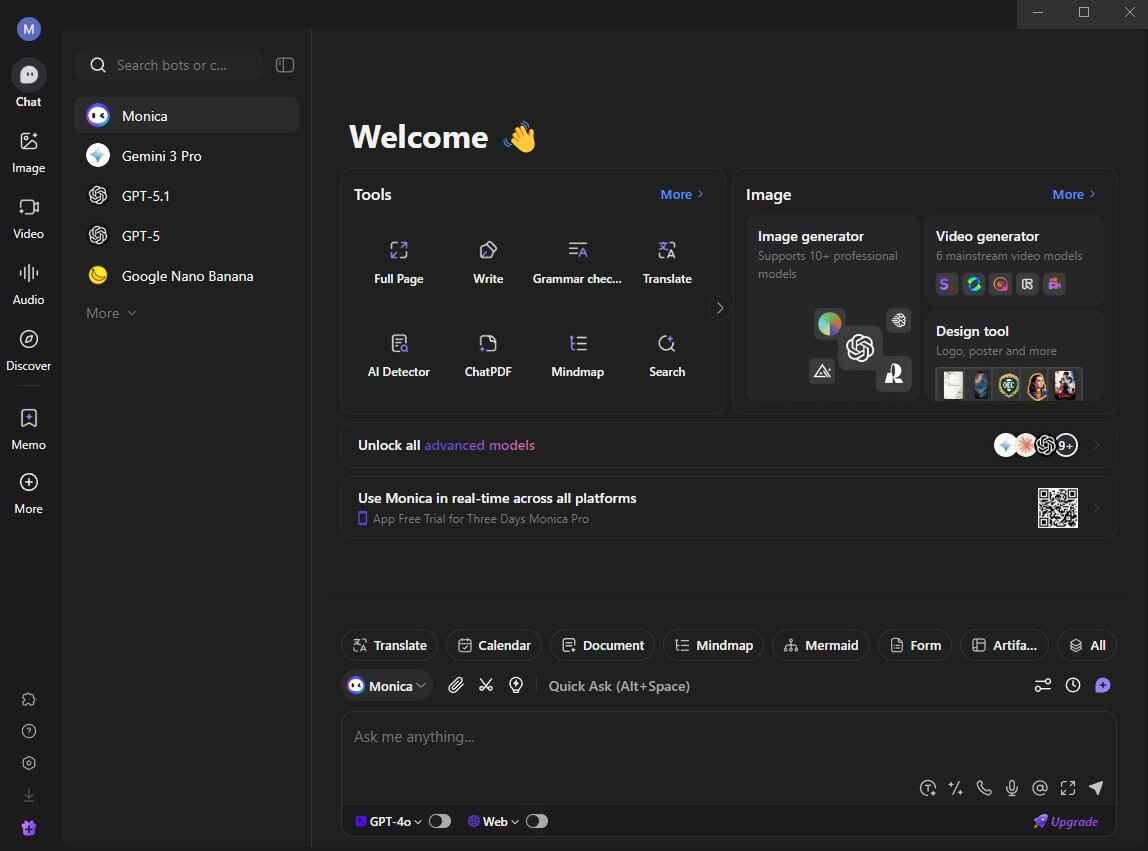
And from here, you can perform any task without needing to switch to ChatGPT, Claude, CoPilot, Gemini, or some other AI assistant.
What’s Good About Monica AI? — From Our Hands-on Review
So far, you may have a complete understanding of Monica Assistant and how to use it. Now, let’s begin our hands-on evaluation of this tool. So, during the testing process, we liked the following aspects of Monica AI:
1) Multiple AI Models
Unlike ChatGPT, Claude, CoPilot, Gemini, or other AI assistants, Monica doesn’t restrict you to a single LLM (Large Language Model). This means that you can easily switch between Claude models, Google’s Gemini, and GPT lineups according to the requirements of your task. So, we believe that this feature is a huge productivity booster.
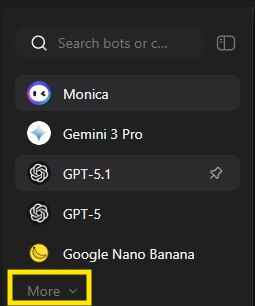
Hint: Tap the ‘More’ option to explore a complete list of available LLM models.
For instance, let’s say that you want to perform a creative or structured writing task. In that case, GPT models will be excellent. However, if you need an LLM that conducts deep reasoning, you can use Claude models because they’re excellent at long-contextual work. But suppose that you need a factual balance. In such a situation, Google’s Gemini often brings impressive results, along with its summarization approach.
2) PDF Summarizer
One of the most hyped-up features of Monica AI is the PDF summarizer. Why?
Simply because it generates a precise synopsis of an uploaded PDF in a matter of seconds. Not only that, but it also extracts insights from the uploaded document and presents the key sections. What’s even more amazing is that you can communicate further about the file by asking follow-up queries.
So, suppose that you often deal with case studies, eBooks, manuals, research papers, white papers, or other lengthy documents. In such a situation, this functionality will be a lifesaver for you. In fact, it will alone be enough to justify the worth of this AI assistant.
3) Writing Tools + Existing Templates
Monica comes packed with a comprehensive writing agent that allows you to do the following:
- Compose new textual content from scratch.
- Generate the reply to an existing message.
- Check the grammar of any text piece.
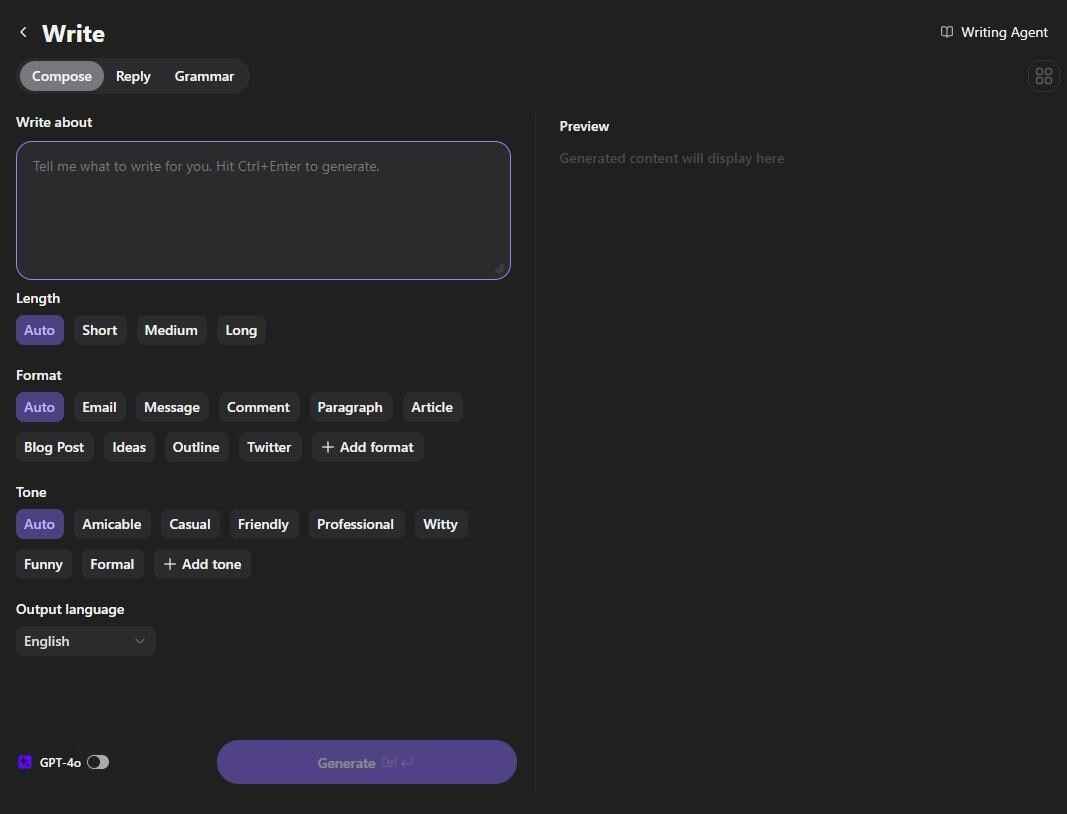
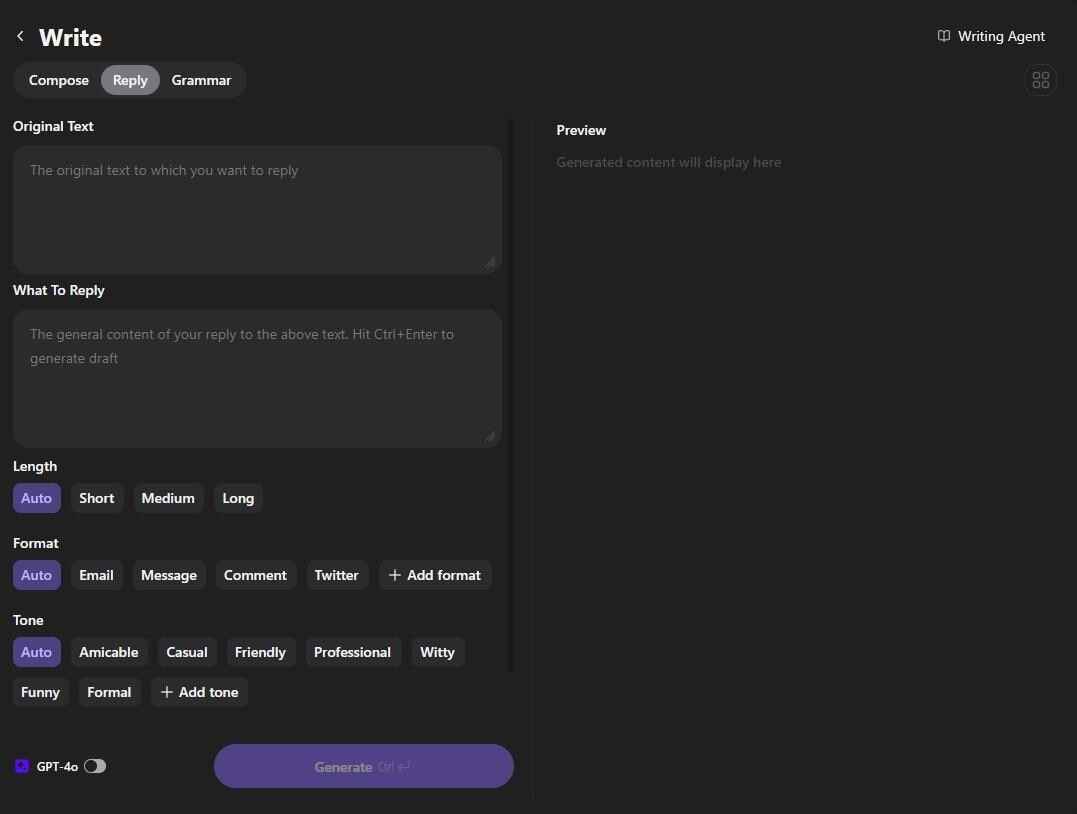
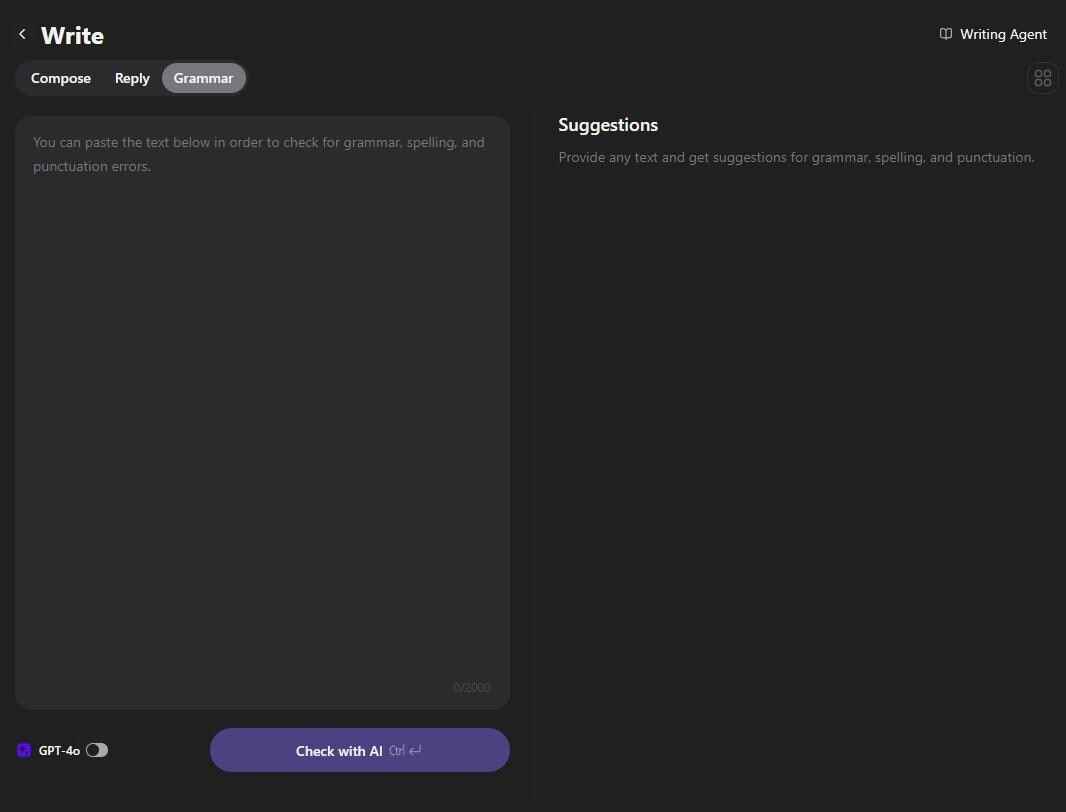
So, you can use them to automate most of your workflow. Here are a few examples we took from our testing phase:
- You can quickly generate a perfect reply for a message by entering your requirements, such as ‘Original Text,’ ‘What To Reply,’ and others.
- You can write anything, be it an article, blog post, email, or Twitter (X) post. If you can’t find your desired format, you can add it by tapping the ‘+ Add format’ button, and this AI assistant will intelligently adapt to complete your requirement.
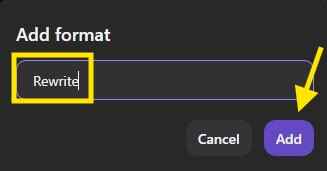
The control of this writing module is so impressive that it even allows users to change the length, tone, and output language.

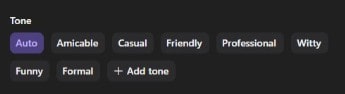
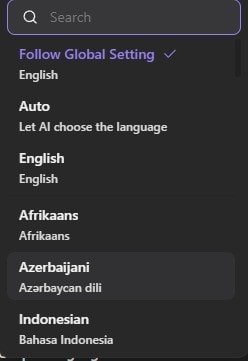
So, this entire module is really helpful, especially if you’re a student, writer, or someone who just wants to automate any of your writing tasks.
4) YouTube Summaries Creation
The premium version of Monica AI assistant has another impressive flagship feature that goes by the name of ‘YouTube Summary Creation.’
As the name indicates, this feature allows users to generate a summary of any YouTube video without needing to download and upload it. What you need to do is simply enter the URL of your desired YouTube video and start the process.
In a matter of seconds, this module will extract 2-3 important points and provide you with a breakdown of the following things:
- Bullet-point summaries, but this is optional.
- Core ideas.
- Main topics.
- Key timestamps.
So, if you often conduct research through YouTube, this option will be really handy for you.
5) Browser Extension
The setup size of the Monica AI assistant is about 243MB on the Windows system. However, when you install it, it requires a space of more than 1GB (around 1.2GB, to be precise). So, the desktop version is quite heavy. But if you don’t want to use that, you can easily integrate this assistant into your web browser.
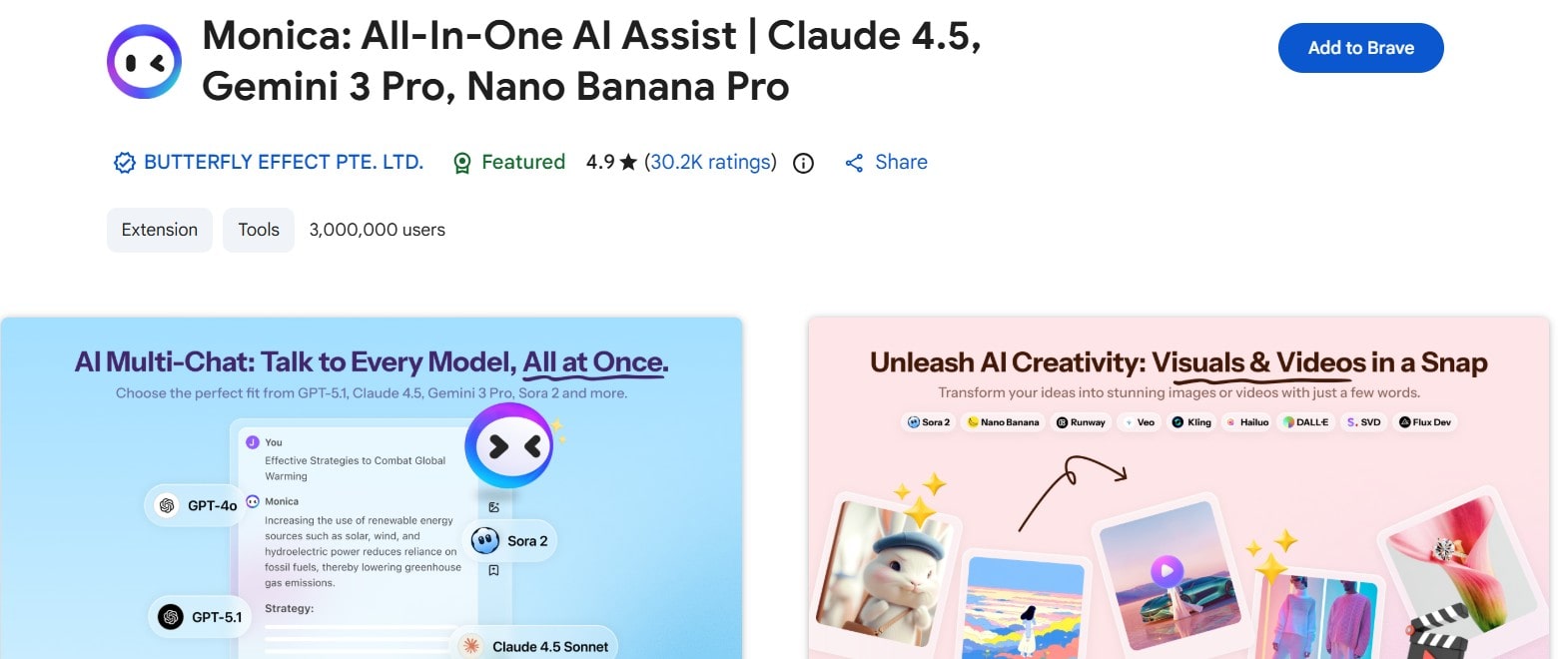
Yes, you’ve read this right—Monica is also available in the form of a browser extension. So, whether you use Brave, Google Chrome, Microsoft Edge, or any other Chromium-based browser, you can integrate its extension into your workflow. However, it is essential to download the extension from the official source.
Monica AI’s Pricing Plan — How Much Do You Need to Pay to Use It?
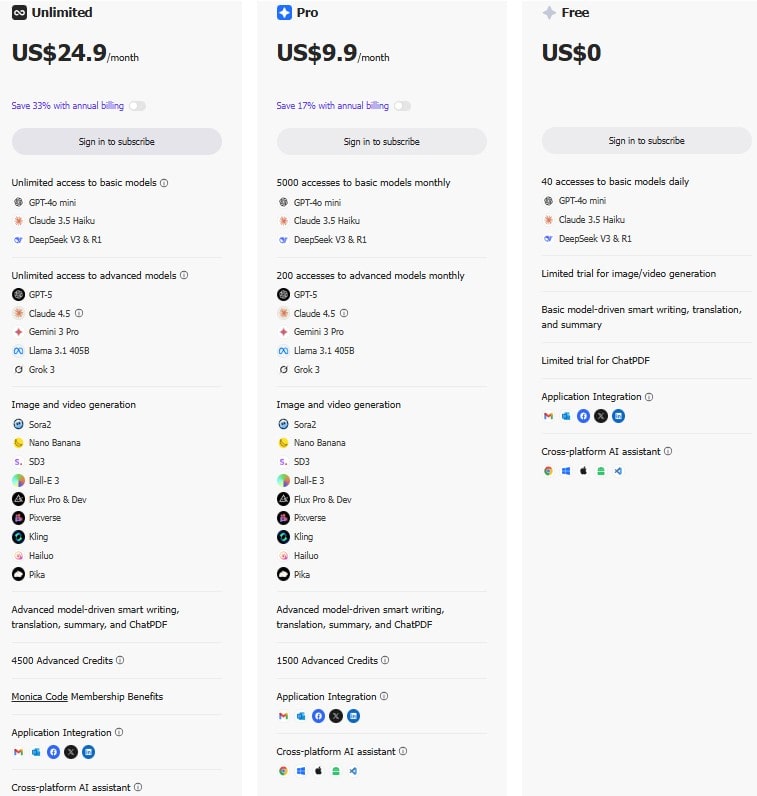
Monica AI assistant is available in three plans:
- Free.
- Pro.
- Unlimited.
To get started with the ‘Free’ plan, you just have to sign in. But if you want to use the ‘Pro’ or ‘Unlimited’ version, you will have to pay ‘9.9’ and ‘24.9’ US dollars per month, respectively.
You can get an additional ‘17% discount’ on the ‘Pro’ and ‘33% discount’ on the ‘Unlimited’ plan if you switch to the annual payment mode. However, we recommend checking the official source to get the updated information.
Where Does Monica AI Assistant Fall Behind? — Disadvantages | Cons
Throughout our experience with software applications, we have evaluated thousands of tools. And just like everything else, no tool is flawless.
Everything has some flaws, and Monica AI assistant is no exception. So, these are the main drawbacks we discovered throughout the testing phase:
1) Free Plan Limits
Its free plan feels quite restricted, especially if you compare it with the unpaid versions of ChatGPT, Gemini, and Claude. For instance, you only get daily 40 accesses to the following basic models:
- Claude 3.5 Haiku.
- DeepSeek V3 & R1.
- GPT-4o mini.
You do get to enjoy the application integration in the free plan, which you can use to add Monica’s capabilities to Gmail, Facebook, LinkedIn, Outlook, and Twitter (X). However, if you want to use the image or video generation models, you will experience several limitations. And for this reason, we believe that if your goal is to create pictures or videos, you should use dedicated models.
2) Model Availability Changes
The availability of LLMs and their capabilities depend highly on the updates of AI providers. For instance, the options available in each model, the usage restrictions, and their capabilities vary according to the updates from the official sources.
Although this is not Monica’s fault, we’ve mentioned it because we think that it is important to be aware of.
3) Privacy Considerations for Browser Extension
If you want to use the extension, you should read the privacy policy before actually integrating it with your workflow. Why?
Simply because the browser extension needs to process the on-page content. So, if you’re privacy-conscious, we recommend reading the privacy policy before integrating Monica’s functionality in your web browser.
Again, this does not apply only to the Monica AI assistant. But we’ve mentioned it because we want our readers to safely navigate the web.
Concluding Remarks — Is It Worth It?
So, to sum up, yes, Monica is absolutely worth it if you want an AI assistant that lives in your browser, summarizes anything quickly, and gives you access to multiple AI models without juggling five different apps. Its top features are genuinely helpful and align with how real users work every day. However, its desktop version is quite heavy. So, we recommend staying with the browser integration. Plus, as we’ve already mentioned, make sure to review its privacy policy before integrating its browser extension.
Frequently Asked Questions
- Is Monica AI assistant superior to ChatGPT?
Monica AI and ChatGPT are both different. ChatGPT is better for accuracy, creativity, deep reasoning, and raw model performance. However, if you want an all-in-one productivity booster, you should prefer Monica.
- What is the accuracy status of Monica AI?
The accuracy of Monica’s AI assistant varies according to the module you use. For instance, its AI detector is really terrible. However, its productivity enhancers are quite impressive.
Alan Mike is a seasoned website content writer specializing in SEO-friendly, engaging content. With expertise in various industries, Mike creates clear, informative, and compelling copy to boost user engagement and drive organic traffic for clients.
