
- Reviews
- No Comment
TinEye Reverse Image Search Review: Is It Really Worth Using?


You may have stumbled upon the home page of TinEye while looking for a reliable reverse image search engine. But you don’t want to risk the privacy of your pictures before you know everything about this utility. Does this situation sound familiar? Then, check out this honest review.
In this blog guide, we’ll dig deep into TinEye. We’ve tested this image search engine rigorously, and now, we’ve decided to document our findings here. So, anyone wanting to know whether TinEye is worth trying should check out this blog post.
Now, let’s get started!
What Is TinEye? — A Complete Overview
TinEye is a search engine that allows people to use an image to explore the internet. That photo can be the one that is online or kept locally.
Like a traditional search engine, TinEye also works by matching the query with the crawled and indexed data. But instead of using keywords and semantic analysis, this image search solution matches the visuals of pictures. For that, it uses image recognition technology that works in the following way:
- First, it breaks down a photograph into its features, such as color distribution, edges, shapes, patterns, and textures.
- Then, it assigns a mathematical representation to each extracted feature.
- Afterward, it combines all those representations and creates a unique digital fingerprint.
- And finally, it uses the created composite fingerprint to match the query against 78 billion+ indexed images.
And that’s how TinEye generates results!
How to Reverse Image Search Using TinEye?
Now that you have a basic understanding of TinEye, let’s see how to use this search engine. Well, to be honest, there is not much science to it because using it is easy-peasy:
1. Simply navigate to the official website, where you’ll see the following interface:
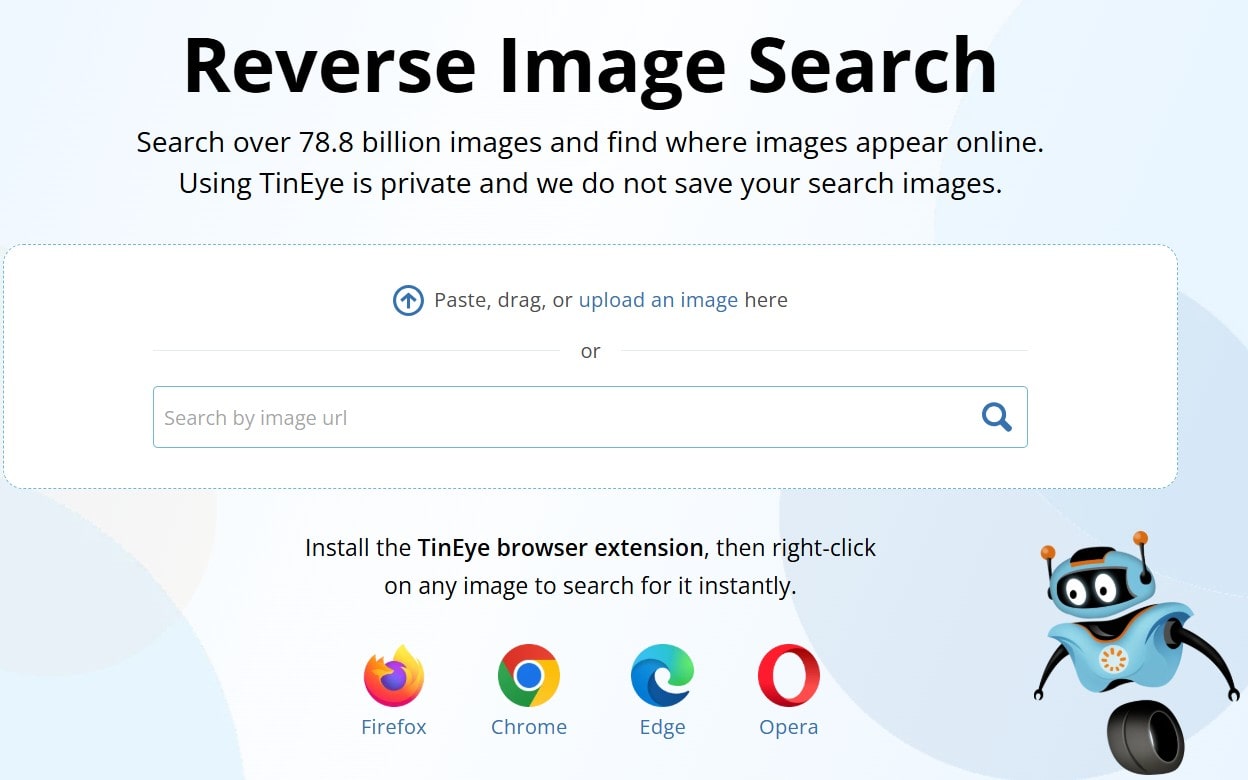
2. Then, paste a (copied) photo directly from the clipboard or drag-and-drop one from your device storage. If you have an online picture, just enter its URL in the provided space.
Note: For these steps, we’ve used the wallpaper of Windows 11.
3. This utility will take a few seconds to process everything. So, your screen may look like this:

4. But once the processing is complete, you’ll find the results in the following way:
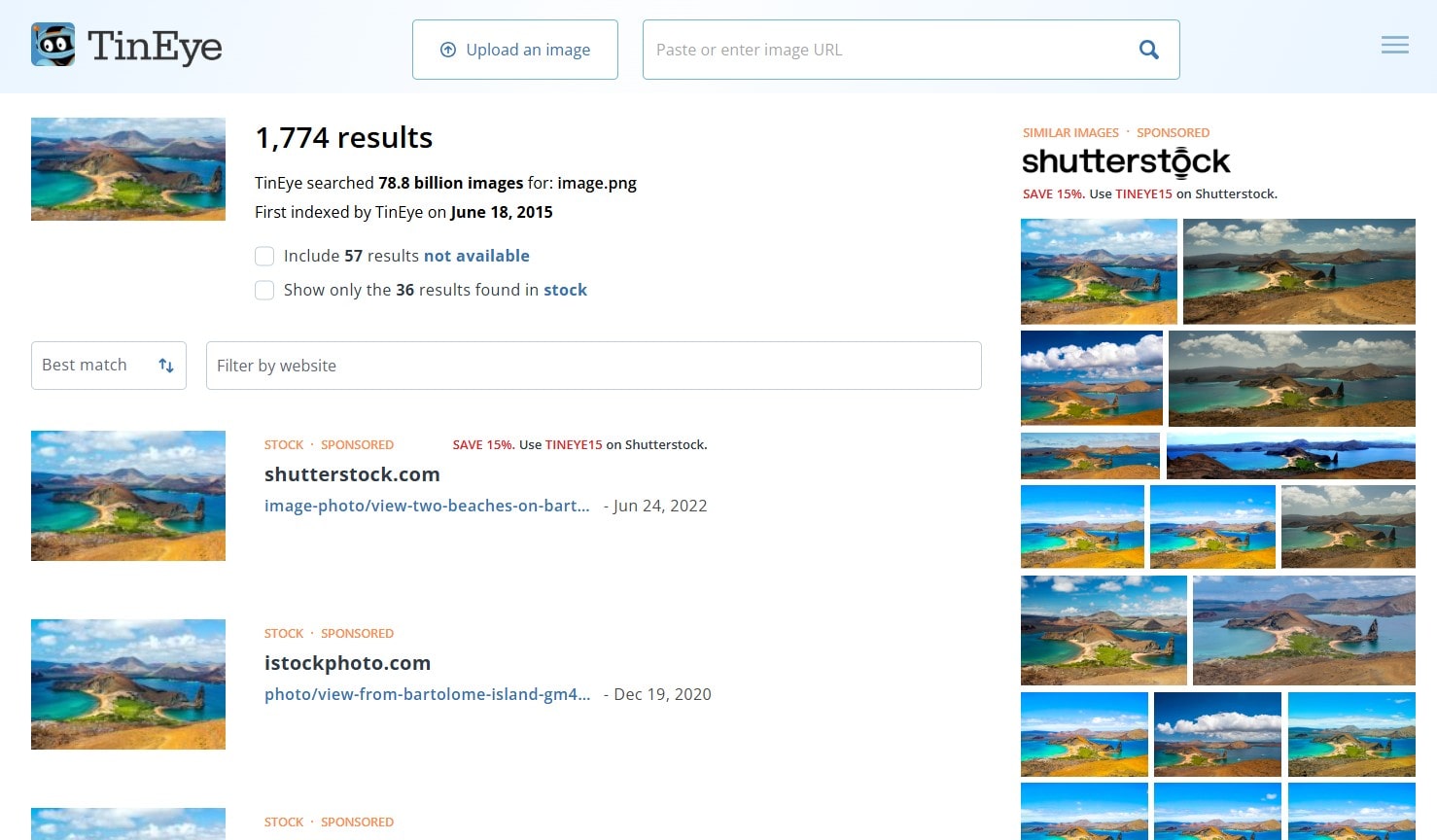
5. Much like the results of other search engines, you can click on each to open it.
Key Highlights of TinEye Reverse Image Search
TinEye is one of the most popular reverse image search services. We believe this is mostly due to the following attributes:
Multiple File-Uploading Options
As is evident from the previous section, this search engine provides 3 different picture uploading options. You can paste a copied image, use an online photo via its URL, or drag-and-drop a picture from device storage. So, you’re not short of options here.
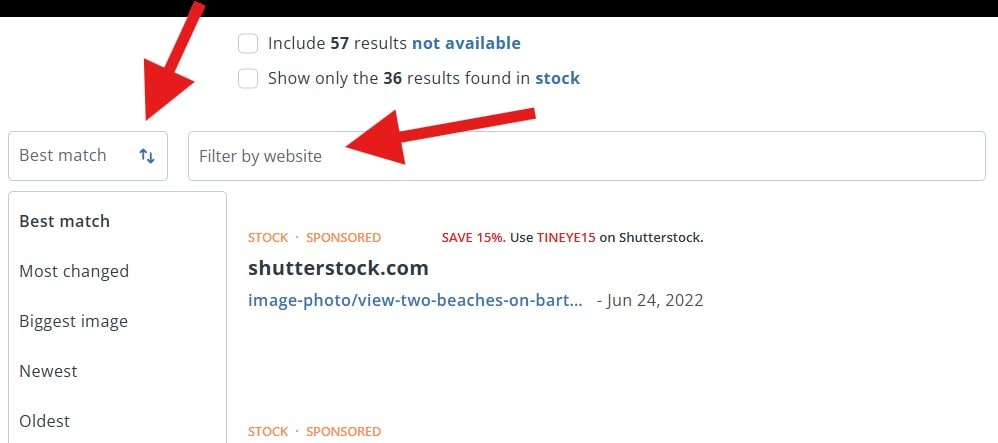
Sorting and Filtering
Once this utility has generated a list of the results, you can customize it. For instance, you can filter the results by a certain website or sort all the results using the provided options. These options come in handy, especially if you want to identify edited or reposted photos.
Availability of Browser Extensions
You don’t always need to navigate to the official website to use TinEye’s picture search service. You can optimize this whole process using its browser extension. So, whether you use Google Chrome, Microsoft Edge, Mozilla Firefox, or Opera, you can download its extension and right-click on any photo to reverse image search it.
Commercial API Support
Brands and businesses often have to monitor copyright infringement and track photos on a large scale. Right? For their assistance, TinEye provides paid API support. So, you can integrate it into your platform and protect your brand better.
Zero Data Collection
According to Google, it keeps photographs searched using Lens for some time by encrypting them in a private space. However, TinEye’s official documentation claims to have zero data collection. So, whether you upload an image to the official website or to a platform using TinEye’s API, your search query won’t be saved in the database.
Key Strengths and Weaknesses — Pros and Cons
TinEye’s picture search engine seems impressive. And to be honest, it really is! But while testing this service thoroughly, we’ve found a few points that might be a dealbreaker for some.
So, check out these advantages and disadvantages because they may change your opinion:
Pros
✔️ It is one of the fastest reverse image search services available on the web. In fact, it is one of the easiest to use as well.
✔️ During our testing, we got satisfactory results in most cases. So, this solution really performs well.
✔️ Its extension is available for all popular web browsers. And using it can really optimize your workflow and save you time.
✔️ The API integration is smooth. Plus, it can really help a platform increase its traffic organically.
Cons
❌ While TinEye states that they do not collect data, some tech-savvy people think otherwise. That’s mainly because there is no forensic log analysis to verify this claim.
❌ Sometimes, this search engine offers below-par results when scanning faces. This is especially true for edited or AI-generated images. That may be due to its limited database.
How Much Does the TinEye Cost? — Pricing Structure
The searching capability of TinEye is free. But if you want to use its commercial API, you will have to pay a certain fee.
So, if you’re curious about its pricing structure, check out the following table:
| Package Name | Price | No. of Searches | Per Search Cost |
| Starter | $200 | 5000 | $0.04 |
| Basic | $300 | 10000 | $0.03 |
| Corporate | $1000 | 50000 | $0.02 |
| Enterprise | $10000 | 100000 | $0.01 |
So, pick a plan that suits your needs. However, if you want information about the supported payment gateways or a custom plan, you can visit the TinEye pricing.
Is TinEye Reverse Image Search Right for You? — Final Verdict
To sum up, when it comes to finding exact or near-identical matches, TinEye does a fine job. This is especially true for pictures that haven’t been heavily edited. But if you’re using an AI-generated, filtered, heavily cropped, or highly stylized visual image, TinEye may struggle. Similarly, if your desired photo belongs to a newly registered online platform, you may not get desired results. So, it is best for static images or pictures that haven’t been heavily modified.
FAQs
Do reverse image searches actually work?
Absolutely! This technology operates by analyzing the features of a picture, converting each into a mathematical representation, and generating a unique fingerprint. Based on the generated composite fingerprint, it finds matches.
Is there a way to contact the assistance or support of TinEye?
Yes! You can fill out the details required for the support form to contact the assistance of TinEye. You can even visit their office physically or contact them at the provided phone number.
Is TinEye 100% accurate?
No! According to our testing, TinEye is 90-95% accurate when working with exact or near-exact duplicates, images with minor edits, and archived or older versions of pictures. But this accuracy drops heavily when processing AI-generated or heavily altered, filtered, and recolored photos. Similarly, if the crawlers of TinEye haven’t indexed the source of the website or you’re trying to recognize the content (like a face, object, or place) in a photo, you won’t get the desired results.
Is TinEye better than Google reverse image search?
The reverse image search on Google is better at broader searches and identifying similar visuals or objects. Therefore, people mostly use it for casual browsing and shopping. But TinEye works best when you have to check for copyright violations or find exact duplicates.
Is TinEye reverse image search safe?
Yes! The whole website seems to be encrypted with top-tier tech. Plus, TinEye claims to have zero data collection. While there is no forensic log analysis to verify this claim, experts still give a 60% edge to TinEye’s privacy over its competitors. So, it’s safe!
Is using TinEye for personal purposes legal?
Yes! But you can’t reuse someone else’s images without their permission. That’s illegal!
Alan Mike is a seasoned website content writer specializing in SEO-friendly, engaging content. With expertise in various industries, Mike creates clear, informative, and compelling copy to boost user engagement and drive organic traffic for clients.
